
Recurring transactions
Post repeating income or expenses from Scheduled records (Plus and above). Enable or disable a rule when it should stop.
Updated 2026-10-21 · TH
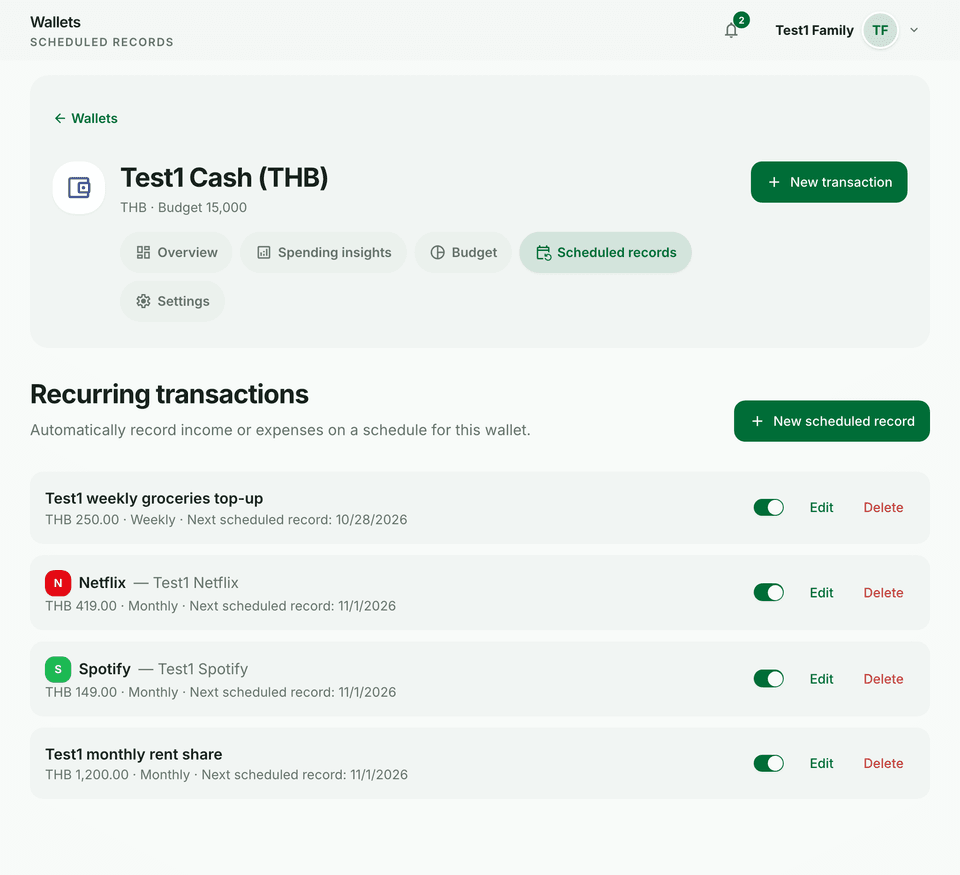
Scheduled records create future transactions so you do not re-enter the same amount. Creating rules requires Plus and above. This is not the Subscriptions list, which tracks services such as Spotify with a renewal reminder.
Steps
- Open a wallet and go to Scheduled records.
- Create a rule with amount, type, category, frequency, and next run date.
- Optionally set Every, day of week or day of month, and an end date.
- Save. Switch the rule between Enabled and Disabled, or delete it when it no longer applies.
Tips
- Use scheduled records for predictable items (rent, salary). Keep one-off spends as normal transactions.
- After a rule runs, you can still edit that posted transaction if the amount changed once.