
Categories and wallet settings
Manage expense and income categories with icons, and edit wallet name, currency, and settings.
Updated 2026-10-13 · TH
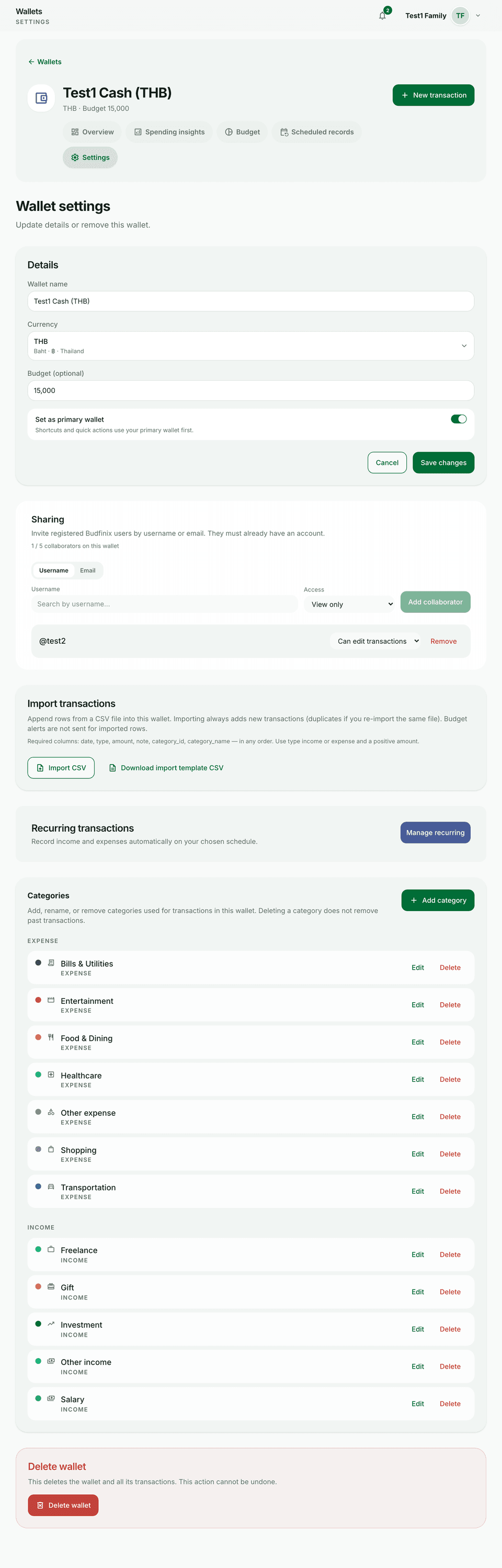
Categories keep transactions and budgets organized. Wallet settings control identity and currency.
Steps
- Open a wallet and go to Settings (or the categories area for that wallet).
- Add or edit income and expense categories; pick icons that are easy to scan.
- Update the wallet name or currency when needed, then save.
- Return to the ledger — new transactions can use the updated categories.
Tips
- Renaming a category does not invent history; past rows keep the category they used unless you edit them.
- Currency changes are for correcting setup — they do not magically convert all historical amounts.