
Create a Budfinix account
Register with a username you will use to sign in, then open the dashboard.
Updated 2026-10-21 · TH
Before you start
You need a working email address. Registration opens from the main Budfinix app at Create account (/account/create).
Steps
- Open Budfinix and choose Create account.
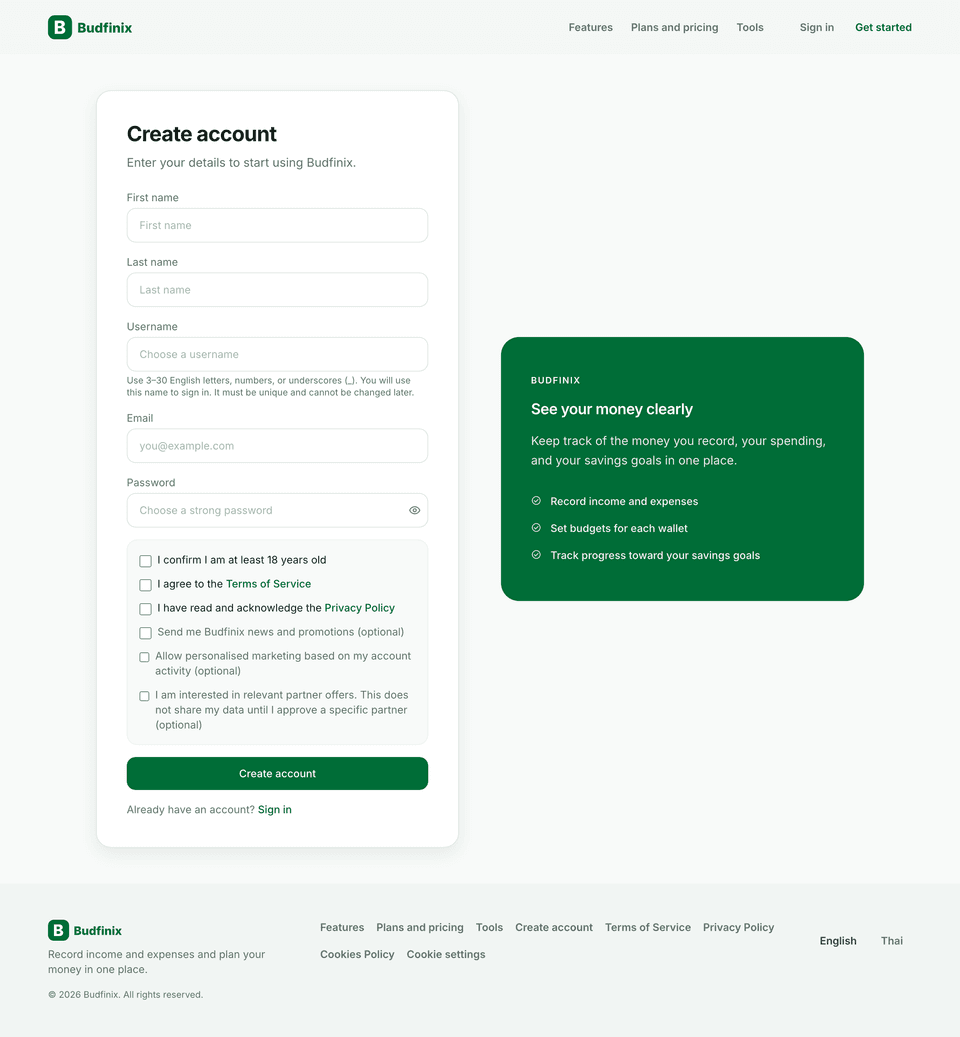
- Enter your First name, Last name, and a Username of 3–30 English letters, numbers, or underscores. You sign in with this username. It must be unique and cannot be changed later.
- Enter your email and a strong password.
- Confirm you are at least 18, agree to the Terms of Service, and acknowledge the Privacy Policy.
- Optionally turn on Budfinix news, personalised offers, or partner interest. Those choices are also on Privacy and data choices.
- Submit. You land on the dashboard. There is no email-verification step.
Language, time zone, and preferred currency are set later under Settings → Profile → Language & region.
Tips
- Use an email you check often — password resets and security alerts go there.
- After signup you can explore the dashboard overview.