
Understand your dashboard
Read net worth, income and expense, savings rate, module cards, and plan-gated health insights at a glance.
Updated 2026-10-13 · TH
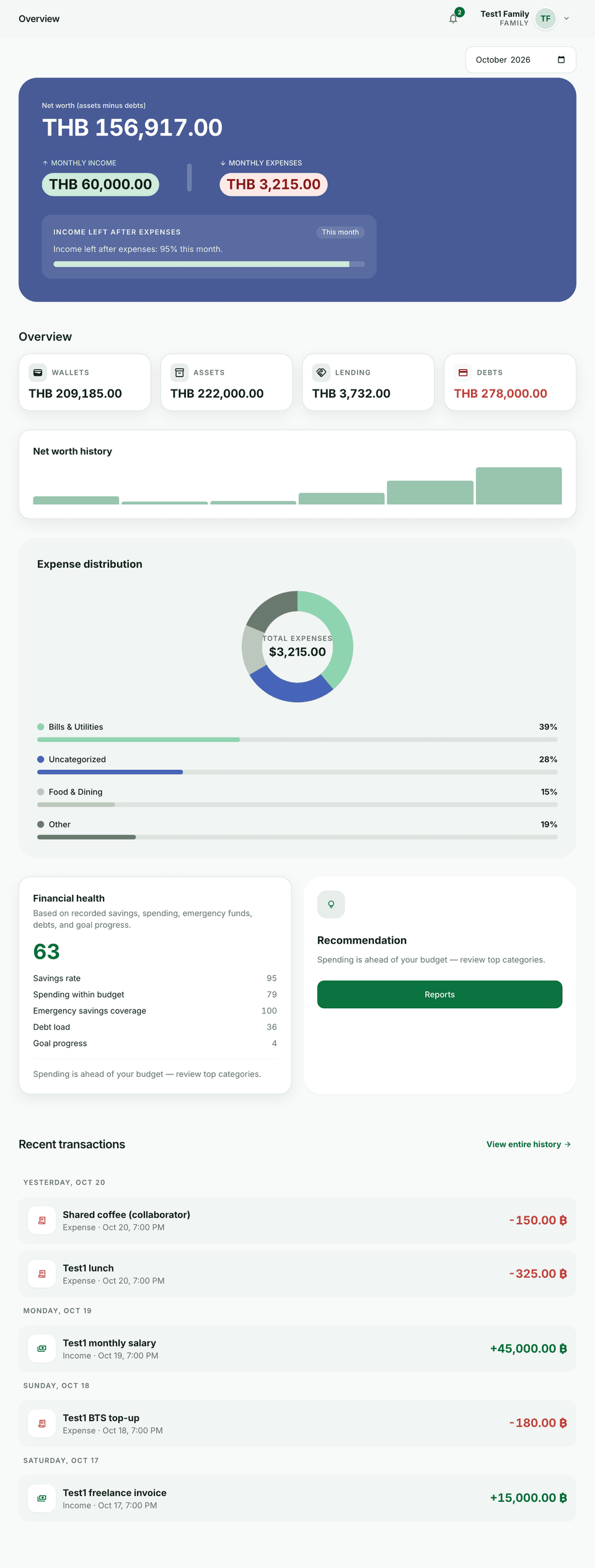
The dashboard is your home snapshot after sign-in.
What you see
- Net worth — wallets and assets minus debts and related balances (as configured).
- Income / expense — totals for the selected month (Free uses the current UTC month).
- Savings rate — how much of income you keep after expenses.
- Overview cards — shortcuts into wallets, assets, lending, and debts.
- Expense distribution and recent activity — where money went and the latest ledger rows.
- First-run card — guidance when you still have no wallets.
Plan extras
- Plus and above — change the month with the month picker; you may also see a cardless Plus trial prompt when eligible.
- Pro and above — net-worth sparkline, financial health score with factors, and rule-based insight tips.
Tips
- Drill into a wallet from recent activity when you need detail.
- Compare the dashboard with Reports when you need exports or multi-module tabs.