
Manage debts, payoff plans, and refinance
Track liabilities, record payments, build a snowball or avalanche payoff plan, review the schedule, refinance terms, and open debt reports.
Updated 2026-10-13 · TH
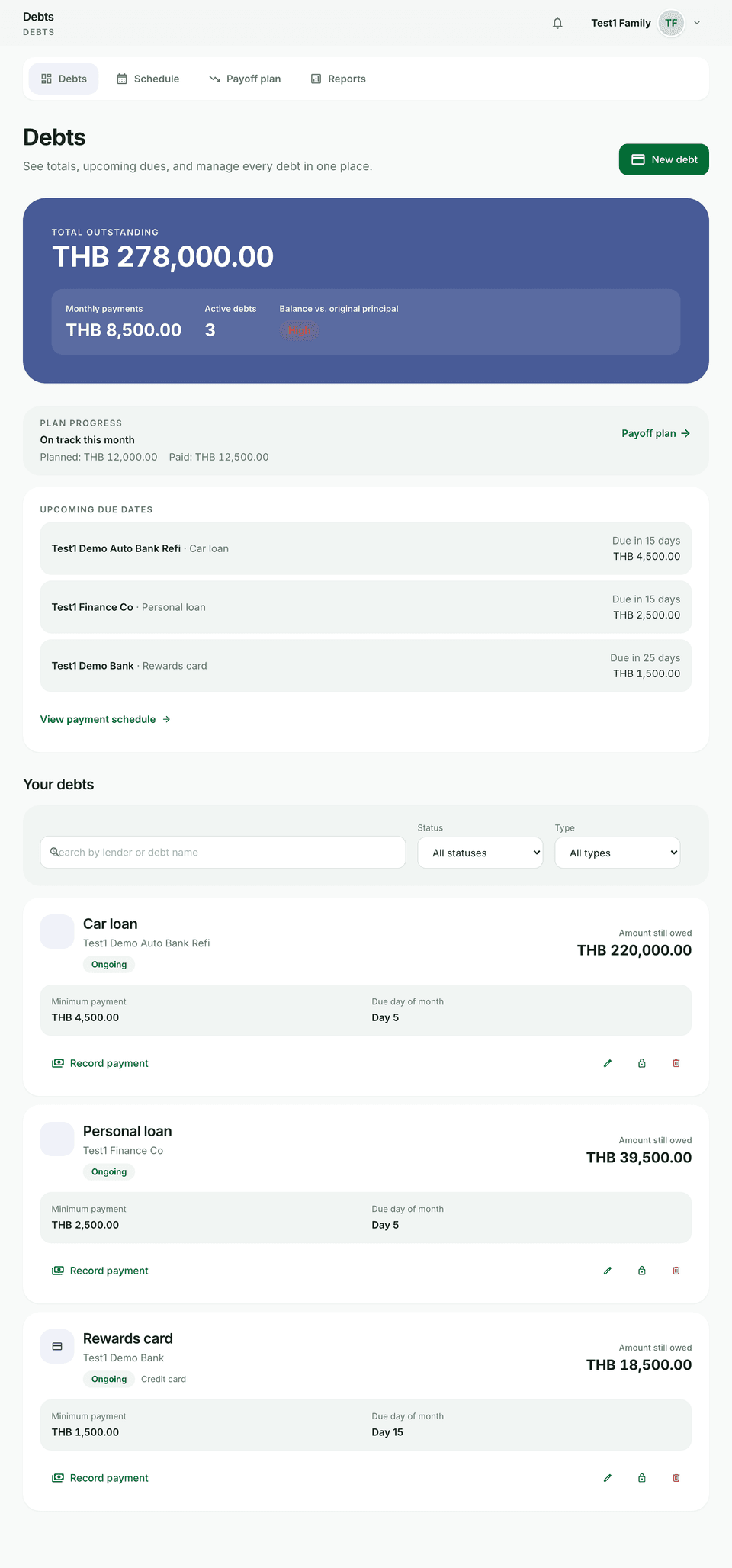
Debts cover credit cards, loans, installments, and other money you owe. Use the Debts, Schedule, Payoff plan, and Reports tabs together.
Before you start
- Open Debts from the main navigation.
- If you track debts in more than one currency, Budfinix will not combine totals — open each debt or the schedule for amounts in that currency.
Track debts and payments
- On Debts, review outstanding balance, monthly payments, and repayment health.
- Choose New debt and walk through Basics → Balances → Terms → Review (type, balance, rate, minimum or installment, due dates).
- Open a debt for Overview, Schedule, Payments, or Refinance.
- On Payments, record principal and interest, use Pay minimum or Pay remaining when helpful, then save.
- Filter or search the list by status and type; edit, close, or delete a debt when it no longer applies.
Schedule
- Open the Schedule tab (list view) or a debt’s Schedule tab.
- Switch This month / Next month on the list schedule.
- Check installment status: Upcoming, Due today, Overdue, or Paid.
- Use the amortization table for month, due date, principal, interest, total, and remaining balance.
Payoff plan
- Open Payoff plan.
- Choose Add payoff plan, name it, and select active debts (each debt can sit in only one active plan).
- Set an Extra monthly payment.
- Compare Smallest balance first vs Highest interest first.
- Optionally try a different extra amount or a one-time extra payment in a chosen month, then preview.
- Read the Remaining balance over time chart (Your plan vs Minimums only) and the debt-free date / interest saved summary.
- Save plan (or Update plan later). You can edit or delete saved plans when balances change.
Refinance
- Open a debt → Refinance.
- Enter the new rate, term, installment, optional fee, and optional new lender.
- Choose Preview comparison to see monthly payment, months to payoff, total interest, total paid, and savings vs current terms.
- Confirm with Apply refinance. Past payments stay on the same debt record; refinance history appears below.
Debt reports
- Open Reports under Debts (or use Full debt reports from the main Reports hub).
- Pick a period such as This month, Last 3 months, or This year.
- Review interest paid, principal paid, total paid, debt trend, payments as a share of income, and the per-debt breakdown.
Tips
- Alerts for upcoming due dates use your notification preferences.
- After large payments, open Payoff plan and Update plan so the schedule matches current balances.