
Notifications
Read alerts from the header bell, and turn browser notifications on or off under Signed-in devices.
Updated 2026-10-21 · TH
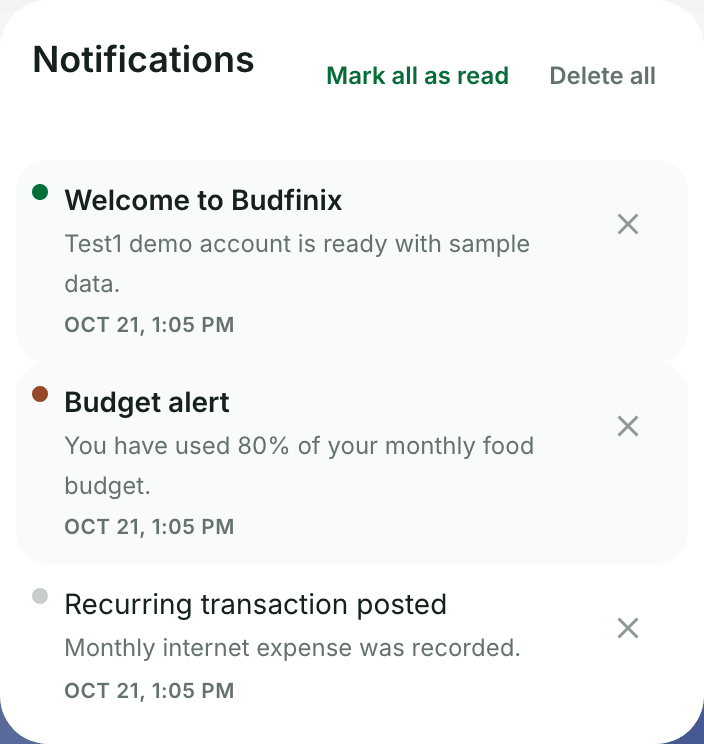
There is no per-topic notification settings page. Alerts for budgets, debts, and bills still arrive in the app, and warning emails still need a current email address.
In the header
- Choose Open notifications in the header.
- Open an item to mark it read.
- Use Mark all as read when several are unread.
- Delete notification removes one item. Delete all clears the list after you confirm.
Browser notifications
- Open Settings → Signed-in devices.
- Under Browser notifications, turn alerts on or off for this browser.
- When they are on, you can get alerts for bills, budgets, and debts even when Budfinix is closed.
Tips
- Wallet budget 80% / 100% alerts use this bell and, if you turned it on, this browser. They are not separate toggles.
- Support ticket replies also appear in the Help Center ticket thread when you are signed in there.