
Savings goals and planners
Create Plus savings goals by kind, use kind-specific planners, record contributions, and track progress.
Updated 2026-10-13 · TH
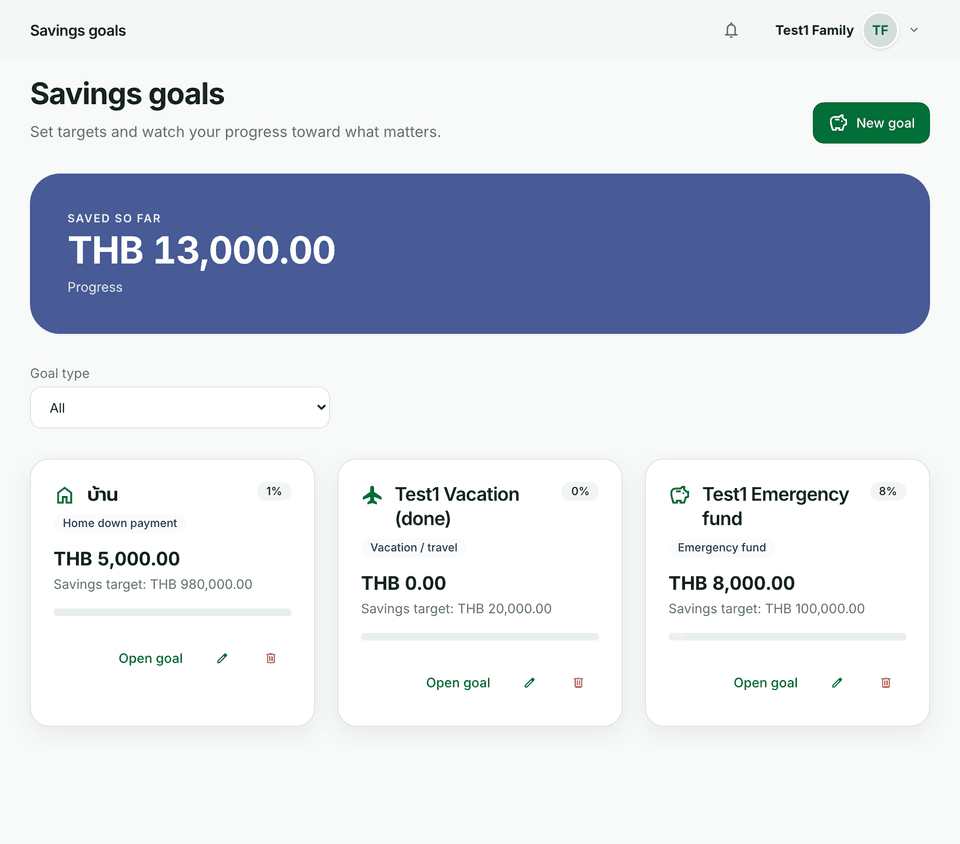
Goals turn a target into tracked progress — retirement, emergency fund, house, and more.
Before you start
- Open Goals from the main navigation.
- Creating goals requires Plus and above. Free accounts see an upgrade empty state.
Steps
- Choose New goal (or the create action on the Goals page).
- Pick a goal kind: normal savings, retirement, emergency, tax, house, education, vacation, or other.
- Set the target amount, optional deadline, and currency; link a wallet if you want contributions tied to one account.
- Use the kind-specific planner when shown (for example retirement projection, emergency months of expenses, or house down payment pace).
- Open the goal and record deposit or withdraw contributions as you save or adjust.
- Watch progress toward 100% and any projection or months-to-fill helpers on the detail page.
Tips
- Match the kind to the planner you need — emergency and retirement use different inputs than a simple target.
- Contributions can move money in or out; keep the linked wallet in sync if you use one.