
Create and split shared bills
Add members, expenses, fees and tax, and payment details, then split equally or set each person’s share.
Updated 2026-10-21 · TH
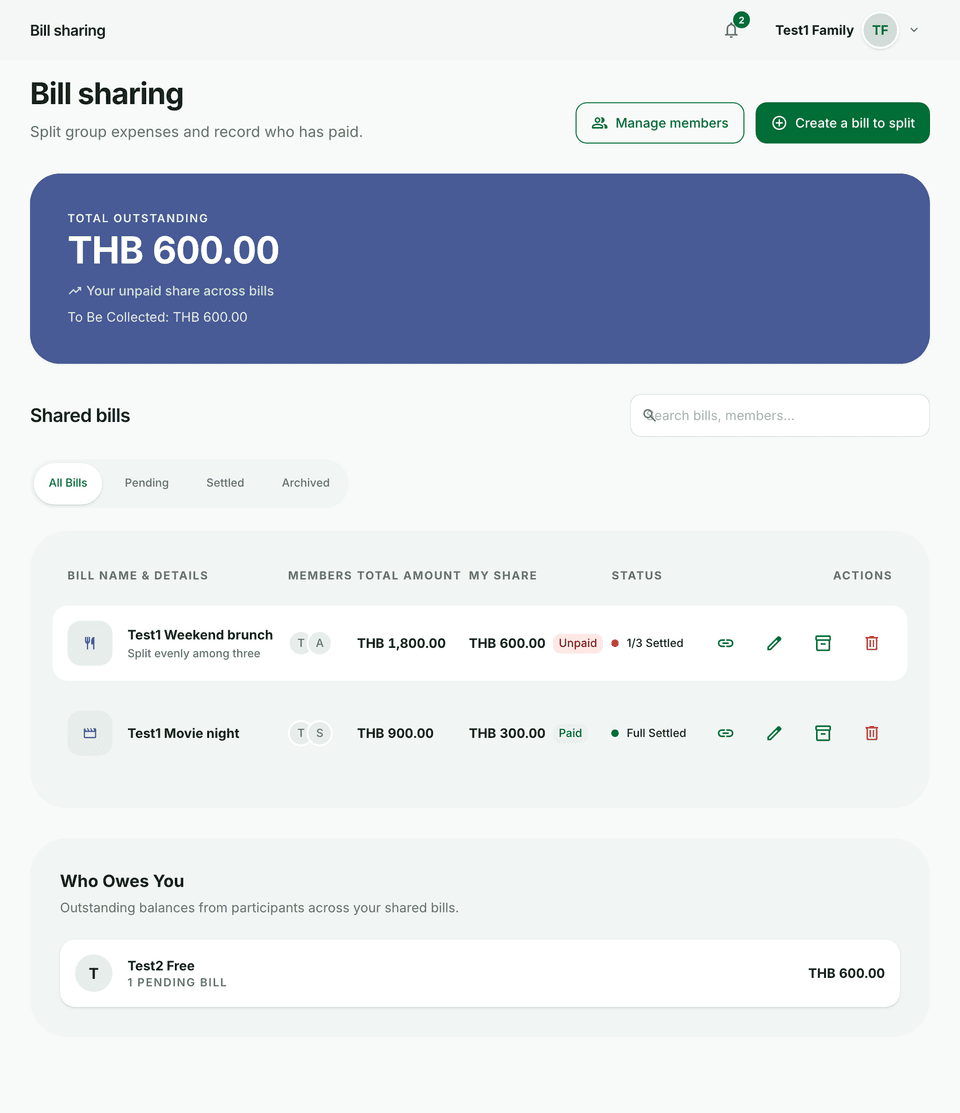
Shared bills keep group expenses fair without messy chats. Signed-in bills live under Bill sharing. Guests can create without an account at /bills/create.
Steps
- Open Bill sharing (or the public create flow if you are a guest) and start a new bill.
- On the edit step, use the tabs Members, Expenses, Fees & tax, and Payment details.
- Add a member by name, or search a Budfinix username. Guests add names only.
- Add expenses, then optional service charge, VAT, and discount as a percent or an amount. Those adjustments apply to the subtotal before the split.
- Choose Split equally or Set each person’s share, then continue to the preview and save.
- Filter the list later by Pending, Settled, or Archived. Archive the bill when the trip or meal is done.
Tips
- Reuse saved members for people you split with often.
- Share a link when someone is not signed in — see Share links and guest editing.