
Send feedback with screenshots
Use Send feedback in the sidebar to share a problem or idea, with one screenshot up to 5 MB.
Updated 2026-10-21 · TH
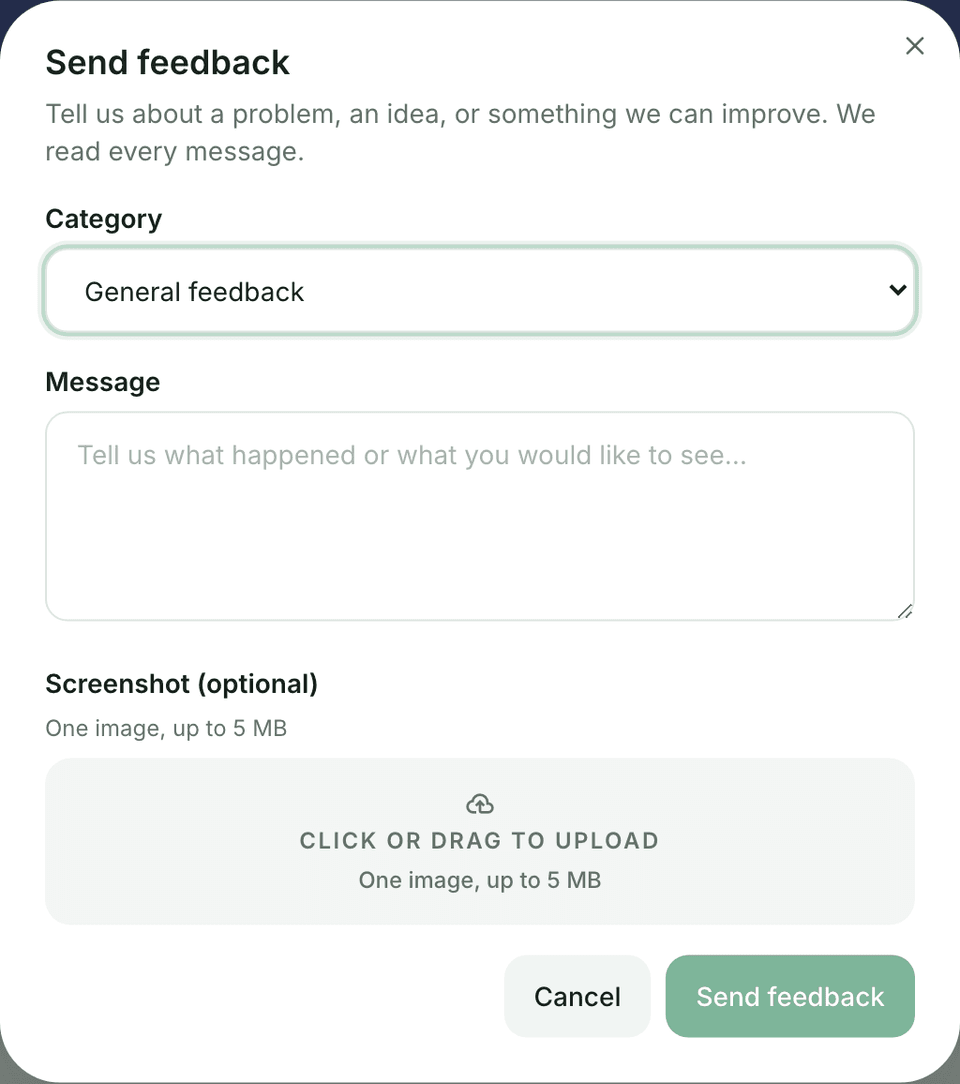
Feedback is separate from support tickets. It is the Send feedback button in the sidebar, not a Settings tab.
Steps
- Choose Send feedback in the sidebar.
- Pick a category: Report a problem, Suggest a new feature, General feedback, or Other.
- Write what happened or what you would like to see. The app attaches the page URL.
- Optionally add one screenshot, up to 5 MB. Crop out secrets when you can.
- Submit. The team reviews feedback in the admin console.
Tips
- For account or billing emergencies, open a support ticket instead.
- Name the feature (for example Debts → Payoff plan) when the page URL is not enough.